Printer test page
Check your printer's colour, print quality and print size on one sheet. Free, no account needed.
You get a PDF. Print it at 100% or "Actual size".
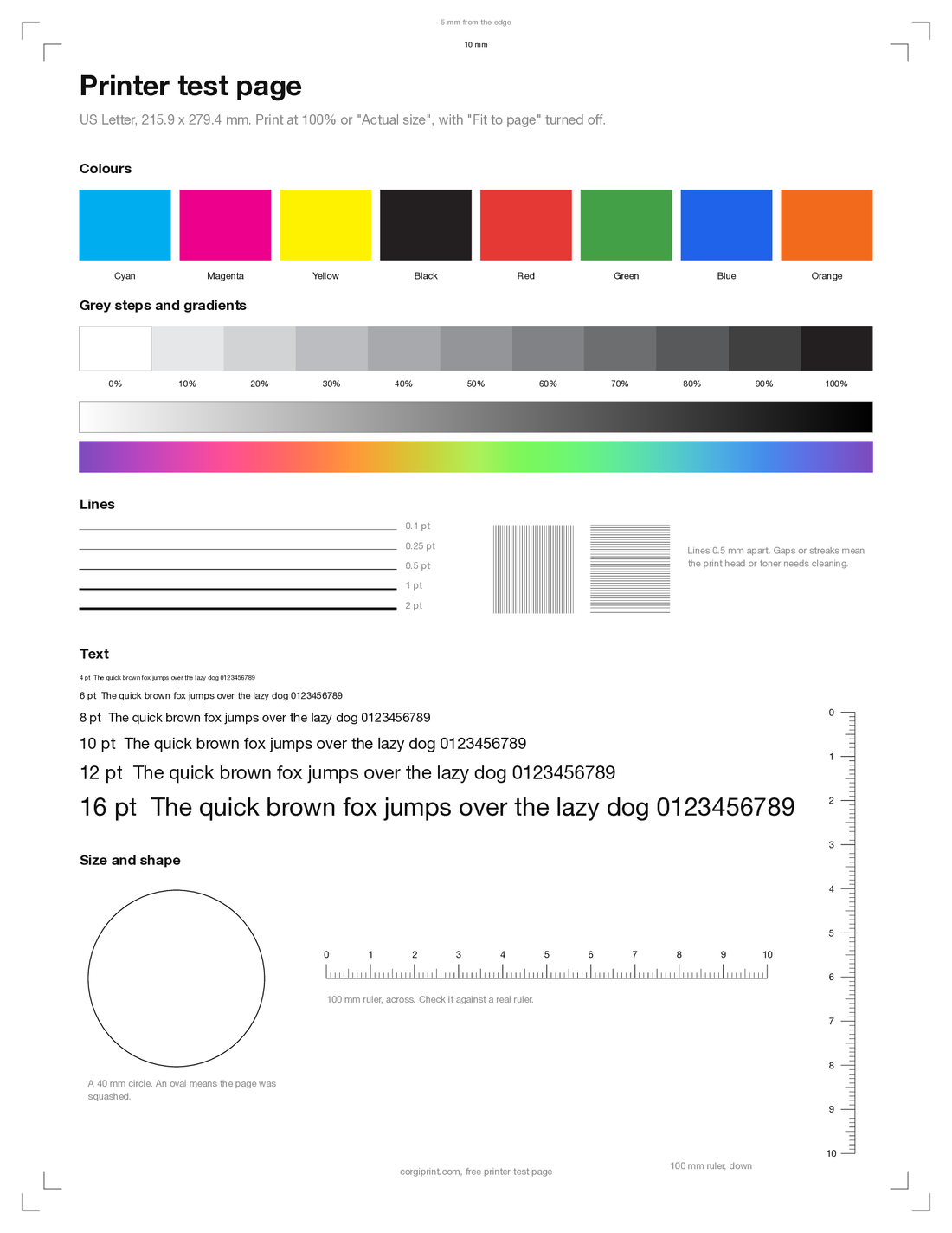
Colour bars
Check each cartridge for faded or missing colour.
Grey steps and gradients
Check for banding and weak black.
Fine lines and small text
Check for streaks and blur.
Rulers and edge marks
Check print size and how close to the edge your printer prints.
Labels, badges and more
Create and design labels, badges, tickets, cards and more with Corgiprint, download and print them on any label sheet or printer.
Start designing
Common questions
How do I print a test page?
Open the page for your paper size and print it from the browser at 100% or "Actual size".
Why is my printer printing smaller than the page?
Your print dialog is set to "Fit to page" or "Scale to fit". Choose 100% or "Actual size" and print the test page again: both rulers should measure 100 mm.
What do streaks on a test page mean?
You likely have a clogged print head or low toner. Run your printer's head cleaning, then print the page again.
Is this test page free?
Yes. No account, no watermark.